Your link in bio can do more.
Turn your bio into a marketing profile.
Your Instagram or TikTok profile shows who you are. Your Business Bio Link shows brands what they can do with you – and makes you bookable on the spot. All on one professional page.
Not just a link. Your own business profile.
Many creators have nothing but a pile of links in their bio. You can make more of it: with your Business Bio Link, brands get everything they need for a collaboration at a glance.
Who are you?
Which audience do you reach?
Which platforms are you on?
How big is your reach?
Which services do you offer?
What does working with you cost?
Which products or partners do you want to recommend?
How can someone send you a request or book you?
And all of it under your own name.
creatordeal.eu/yourname or creatordeal.link/yourname.
You simply put the link in your Instagram, TikTok or YouTube bio. This is what such a page looks like — not a mock-up, but a real profile, loaded just now.
The numbers are the creator's own figures. A checkmark only appears where the channel itself is connected and has confirmed the numbers.

Tobias Berger
✓VIPTop creatorOutdoor & Sport aus München
TikTok · 0.2 % ER
✓ Verified numbers
Instagram · 3.4 % ER
YouTube
✓ Verified numbers
Brands should not have to ask first.
When a brand lands on your profile, it should not have to write an email first to find out what you offer.
Services & prices
Create your own offers and set your prices — UGC video, TikTok, Instagram Reel, Story, product placement, bundle. The brand sees your offer and can send a request or book you right away.
Your real channels
Connect your social media channels and show your reach. Connected channels can be marked with “Numbers confirmed”. That way brands see more than your own figures — they can judge them better.
Your products
You can also present your own products, affiliate offers, partner links or discount codes. And you can see how often your links are clicked.
Your profile works for you.
Your Business Bio Link is not only there for the followers you already have. It can also be the first point of contact for a brand that has just discovered you.
A brand lands on your profile.
It sees your content. It sees your reach. It sees your offers. It sees your prices. And it can get in touch with you directly. No PDF media kit. No long email. No back and forth.
Bookable directly instead of “send me a DM”.
When a brand sends a request through your Business Bio Link, it does not even have to create a creatordeal account first — the request can be started straight from your page. If it turns into a booking, everything is handled properly through creatordeal.
Your profile can do more than your media kit.
Your profile. Your numbers. Your offers. Always up to date.
A media kit is a PDF file.
You send it out. At some point your follower counts, prices or offers change. Then you have to build a new version — and the old one is long gone.
Your Business Bio Link is live.
You change your profile once – and brands see the current version straight away. Including the ones you sent the link to six months ago.
Start for free.
You can create your Business Bio Link for free. One link for your creator business.
Create yours now, freeThis is how your profile gets finished.
Fill in your profile, connect your channels and set up your services. Your public profile is open to search engines and we report it to them, and we run ads that bring brands to the profiles. So the brand turns up; your profile is what has to convince it.
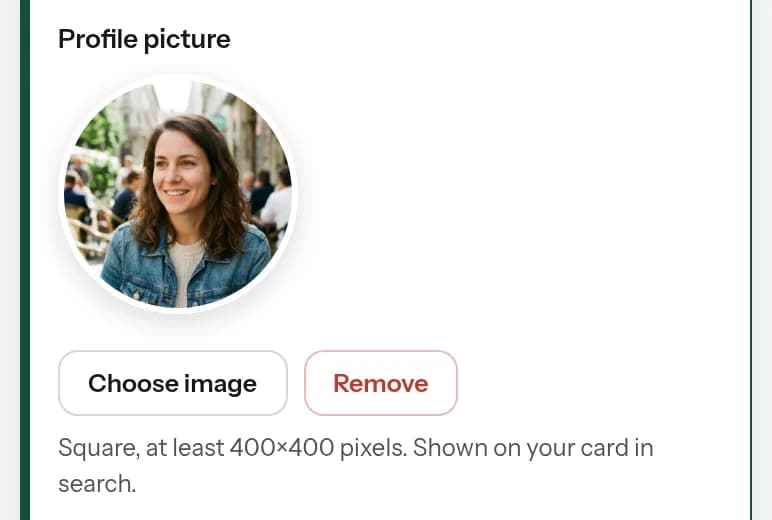
Upload a profile picture
Square, at least 400×400 pixels. It appears on your card in search, on your profile and on your bio page. Without a picture a brand sees two letters — and clicks on.
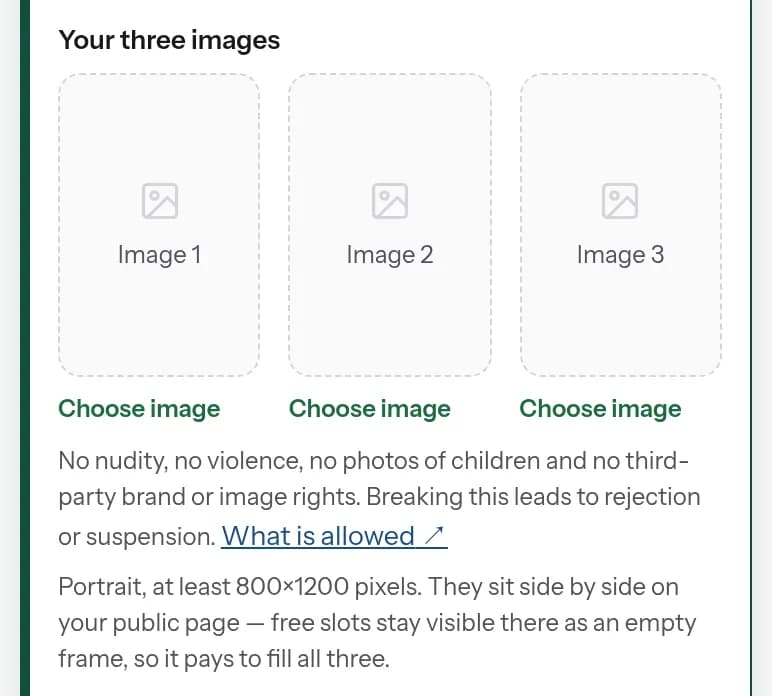
Fill all three pictures
Portrait format, at least 800×1200 pixels. They sit side by side on your public page — empty slots stay visible there as an empty frame. So it is worth filling all three.
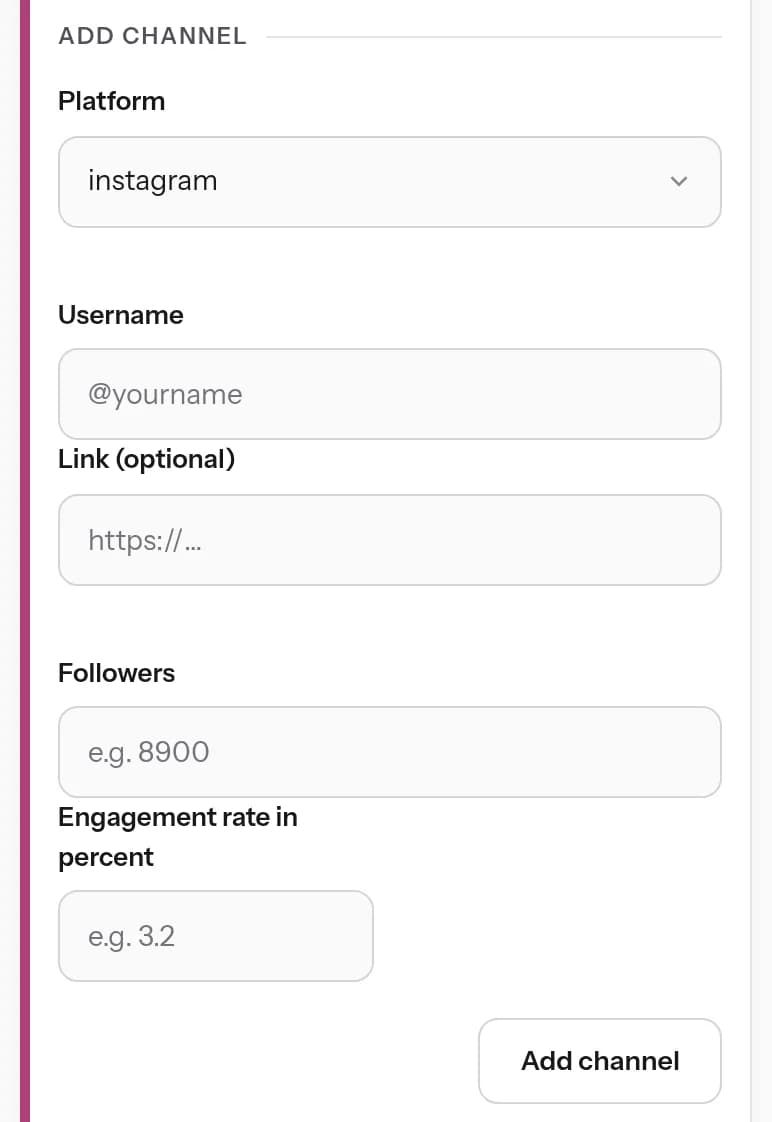
Add a channel
Platform, username, followers, engagement rate. Every channel unlocks the packages that go with it — without a channel a brand has nothing it could book.
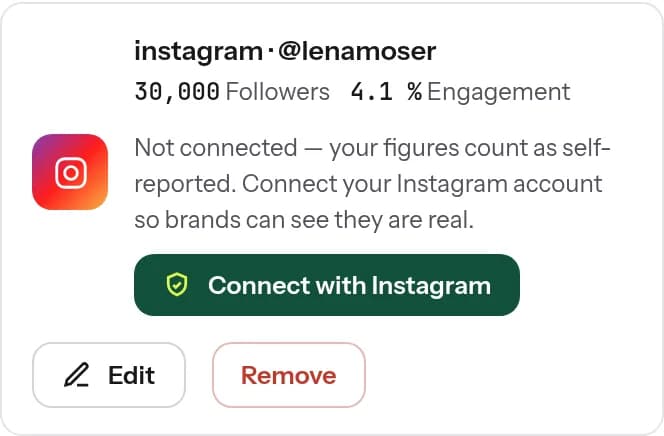
Connect the channel
Let your numbers be fetched straight from the platform instead of typing them in yourself. Your profile then carries the “Numbers confirmed” badge — a brand does not have to take your word for it, it can see it.
Adjust packages, switch off what does not fit
The prices are set for creators with 20,000 to 30,000 followers. Adjust them to your reach and switch off anything you do not offer at all — otherwise you get requests you have to turn down.
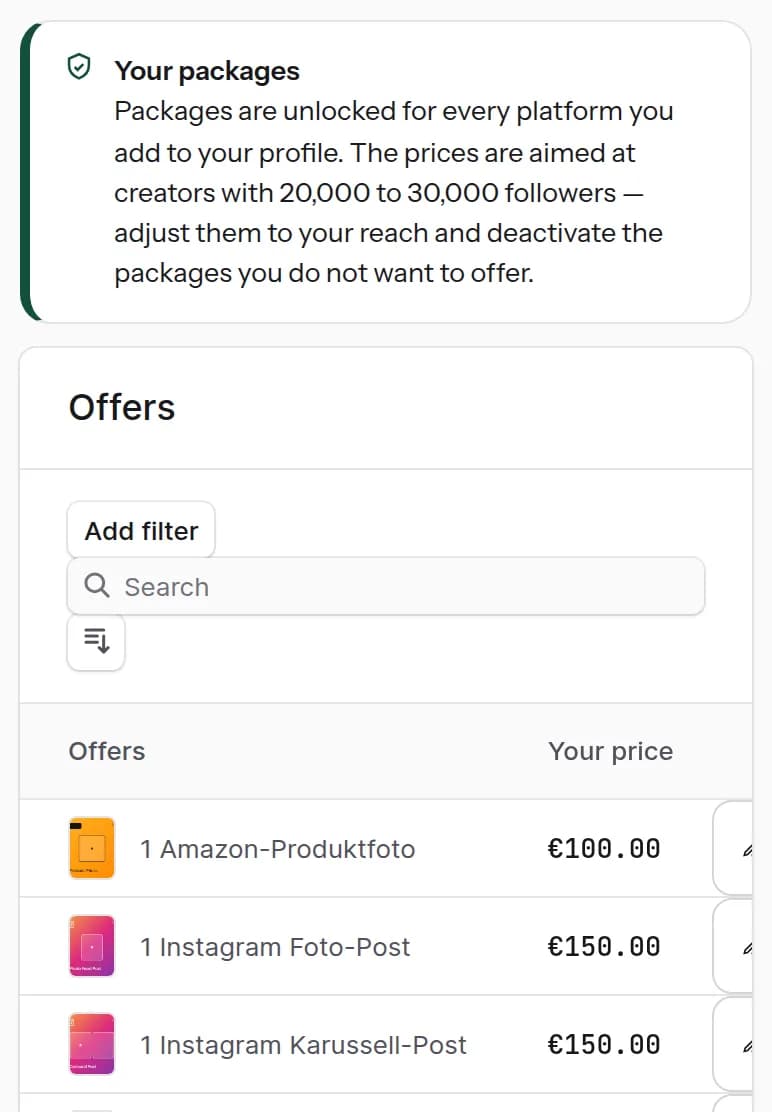
You enter all of this in your creator area, and you can always come back and add more. The pictures show that area the way it looks on a phone.
Recommend us and earn along.
Two different things that are easily mixed up — so, separately:
Your own affiliate links
In the shop tab you add your own products, partner and affiliate links and discount codes. The money comes from your own partner programme, not from creatordeal — we count the clicks and show them to you.
The creatordeal referral programme
If a brand comes to creatordeal through your Business Bio Link, it is assigned to you. When it books later — with other creators too — you earn along on its orders for twelve months. You do not have to do anything except share your link. What adds up is shown in your creator area under “Affiliate”: open, confirmed, paid out.
Your Business Bio Link.
One page for everything brands need to know about you: profile, reach, social media, services, prices, requests, bookings, products, affiliate, legal notice. And all of it under your own name.
Create your Business Bio Link for freeWhat creators ask about the Business Bio Link.
Short, and without the small print.
What is the Business Bio Link?
A professional page for creators that you can put straight into your social media bio. It brings your profile, your social media channels, reach, services, prices, products and ways to contact you together on one page.
Can I be booked through it directly?
Yes. Brands can send a request through your profile and ask for or book the services you offer, directly.
Do I need my own website for it?
No. Your Business Bio Link is your own professional page – including your own address and legal notice.
Can I set my own prices?
Yes. You decide for yourself which services you offer and what you charge for them.
Is the Business Bio Link free?
Yes. You can create it and use it on the free tier.
Can I connect my social media channels?
Yes. Connected channels can be shown with confirmed figures.
Can I show products or affiliate links too?
Yes. There is a section of its own for products, partner links, affiliate offers and discount codes.
What happens when a booking is made?
For a booking, the brand first pays creatordeal. Once your delivery has been approved, your money is paid out.