One link in your bio.
Packages, prices, legal notice.
Your bio page shows what you offer and what it costs — and takes in collaboration requests without the brand needing an account. Legal notice, media kit and your own shop tab are already built in.
More than a list of links.
A link-in-bio page collects links. Your page on creatordeal also takes orders, shows prices and carries your legal notice.
Legal notice required in Europe — with its own tab
Anyone who regularly does paid collaborations in Europe generally needs a provider identification. Your bio page has its own tab for it: you enter your details as an individual or a company once, and they stay permanently under your link. Which details are required in your country is something to clarify with legal advice if in doubt — we provide the space for it, not legal advice.
Receive collaboration requests — without a brand account
Under every package there is a request button. The brand writes its brief, states the date and the usage rights, and sends it off — without registering first. It receives a magic link by email and replies with it, without a password. You see the request in your creator area and accept or decline.
Packages, prices and rate card in one place
Instead of “prices on request”, your page states what a reel, a short, a TikTok video or a photo set costs. You set the prices yourself; for every package we suggest a value in line with the market that you are free to change. If you would rather not show prices publicly, a switch hides them — the request still works.
Shop tab: your own products, affiliate and partner links
The shop tab holds your own links: the Amazon partner link to your gear, your merch, a discount code, the newsletter. Every entry has an image, a title and a voucher code. The clicks run through a redirect, so you can see what really gets clicked.
Media kit without a PDF attachment
Reach per channel, engagement rate, top countries, age and gender of your audience, work samples and reviews from completed orders all sit on the same page. That way the link replaces the media kit PDF you would otherwise send to every brand individually — and it is always up to date.
Payment protection instead of working upfront
When a booking comes about through the bio page, the brand pays creatordeal in advance. The money stays there until you have delivered and the brand has approved — after that the payout goes to you. You do not write an invoice: every payout comes with a credit note showing all the items.
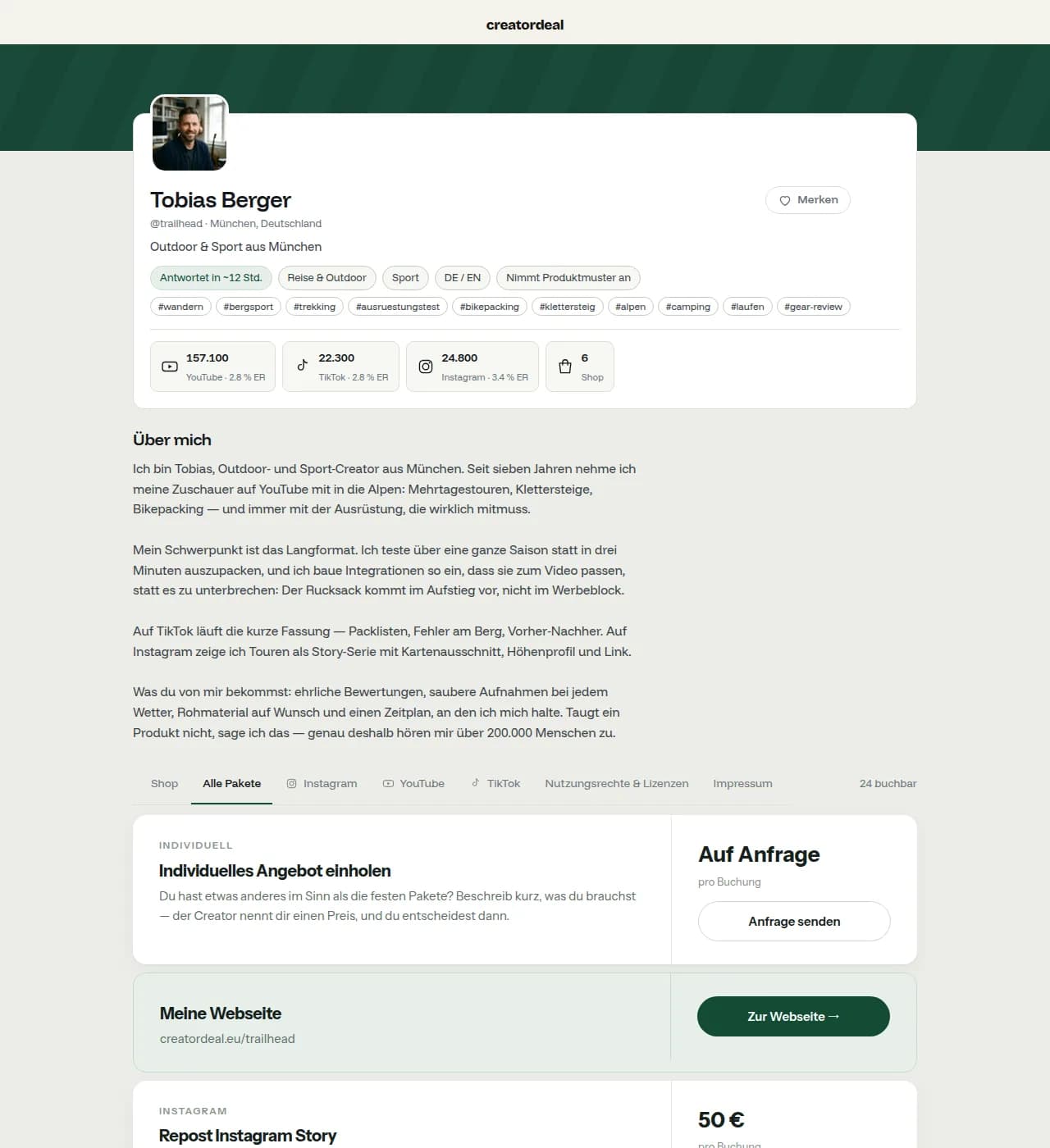
This is what a finished bio page looks like.
A real creator page on creatordeal: profile picture, channels, reach, packages with prices, audience — and the tabs for shop and legal notice.
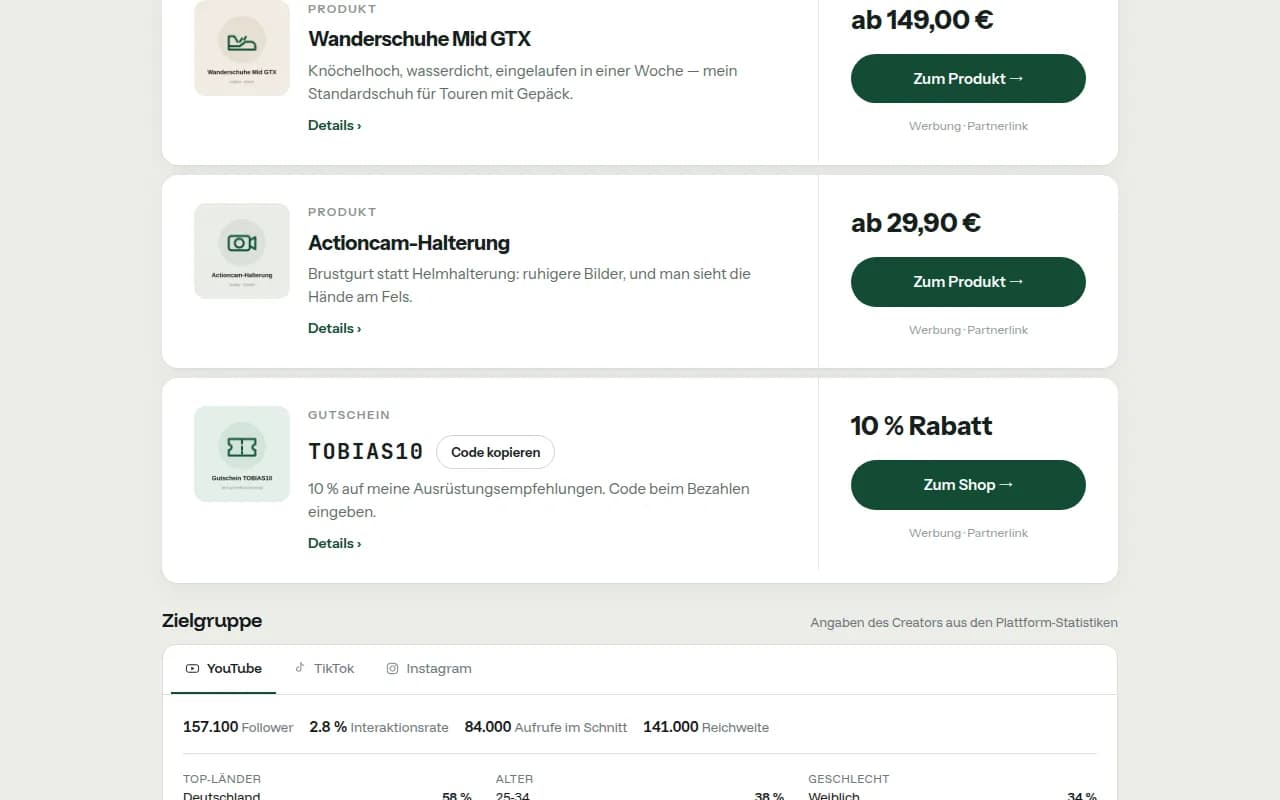
Your own products, partner links, voucher code.
The shop tab holds your own recommendations: products with a picture and a price, partner links and discount codes people can copy. Every paid link is labelled as advertising.
Free and Pro.
The bio page is free — with imprint, packages, requests, chat and payments. Pro is for those whose bio link has become a business.
| Feature | Free (€0) | Pro (€39.90 / month or €399 / year) |
|---|---|---|
| Bio page, imprint, packages, requests, chat, payments | yes | yes |
| Entries in the shop tab | up to 15 | unlimited |
| Click statistics | 7 days and total | 90 days, per day, per entry, with source |
| Design | Standard | Your own accent colour, background image and block order |
| Printable QR code | — | yes |
| Scheduled entries (visible from–until) | — | yes |
| Sales commission on your own links | 0 % | 0 % |
In between there is Standard (€7.90 / month or €79 / year) with up to 200 entries, 30 days of statistics and your own design; above it Premium (€199 / month or €1,990 / year). All prices plus VAT. You book plans monthly or yearly in the creator area and can cancel them at any time via Stripe. If you sign up through another creator’s link or code, you get three months of Pro free. Your entries are always kept — Free just shows fewer of them.
creatordeal and classic link-in-bio tools.
Anyone looking for a Linktree alternative is usually looking for one of two things: a nicer list of links — or a page that brings in orders. The second is what we are for. For pure lists of links, the well-known tools such as Linktree or Beacons do the job well; the table shows where the difference lies.
| Feature | creatordeal | Classic link-in-bio tool |
|---|---|---|
| List of links, image and colours | Yes | Yes, usually with more design freedom |
| Free to use | Yes, Free with no subscription – plans optional | Usually a free tier, extra features on a subscription |
| Packages with a fixed price | Yes, prices set by you | Not provided for |
| Collaboration request with a brief | Yes, without a brand account | Via contact form or email |
| Booking and payment | Payment upfront, payout after approval | Not provided for |
| Legal notice as its own tab | Yes, prepared for you | Possible as a link you add yourself |
| Reach and audience as a media kit | Yes, on the same page | As a file or a separate link |
| Affiliate and partner links with a voucher code | Yes, in the shop tab | As ordinary links |
| Being found by brands | Yes, through the creator search | Not provided for |
The column on the right describes what link-in-bio tools usually offer — it is not a statement about any particular product. What a provider can do exactly today is set out on its own site. And the two do not rule each other out: many creators keep their list of links and put the creatordeal link next to it, because that is where the bookings come in.
Common questions about link in bio.
Answered briefly. Anything not covered here, support answers in your creator area.
What does the bio page cost?
Nothing. Your profile, bio page, packages and the shop tab are free, there is no base fee and no mandatory subscription; plans with more entries and statistics are optional. Only when a booking is paid through the platform do we keep a commission from the payout; the rate is on the pricing page and on every self-billing invoice.
What is my address, and can I change it?
Your page sits at creatordeal.eu plus your handle — the name you choose when you register. It goes in your Instagram, TikTok or YouTube bio. As long as the name is free, you can change it in the creator area.
Do I need a legal notice as an influencer?
In Europe, anyone who regularly advertises or sells for money generally needs a legal notice. Exactly what belongs in it differs from country to country — the bio page keeps its own tab ready for it, which you fill in as an individual or as a company. This is not legal advice.
Does the brand have to create an account to request me?
No. A request through the bio page works without registration. The brand receives a one-time magic link by email and answers follow-up questions with it, without setting a password. An account is only created at the booking stage.
Can I hide my prices?
Yes. A switch hides the fixed prices; the packages stay visible and the request still works. Experience shows that those who show prices get more serious requests — but the decision is yours.
Can I add Amazon and other affiliate links?
Yes, in the shop tab. Every entry has an image, a title, a target link and, if you like, a voucher code. Whether a link has to be labelled as advertising depends on the rules in your country and on the platform — that is your call.
Does the page replace my media kit?
For most requests, yes: reach, engagement rate, audience, work samples and prices sit on the same page and are always up to date. You can send a PDF as well, but it is not necessary.
Can I use creatordeal alongside my existing list of links?
Yes. Many creators keep the list of links they are used to and add the creatordeal link as an entry called “Collaborations & prices”. The route to a booking is then one click longer, but it works just the same.
Read on
Your bio link is ready in five minutes.
Register, enter your channels, confirm your packages — after that you have a link that shows prices, takes requests and carries your legal notice.
Create bio link